02The story
Context
A native HTML <select> is the one form control browsers never got around to
making presentable, and WordPress ships it as-is everywhere: contact forms,
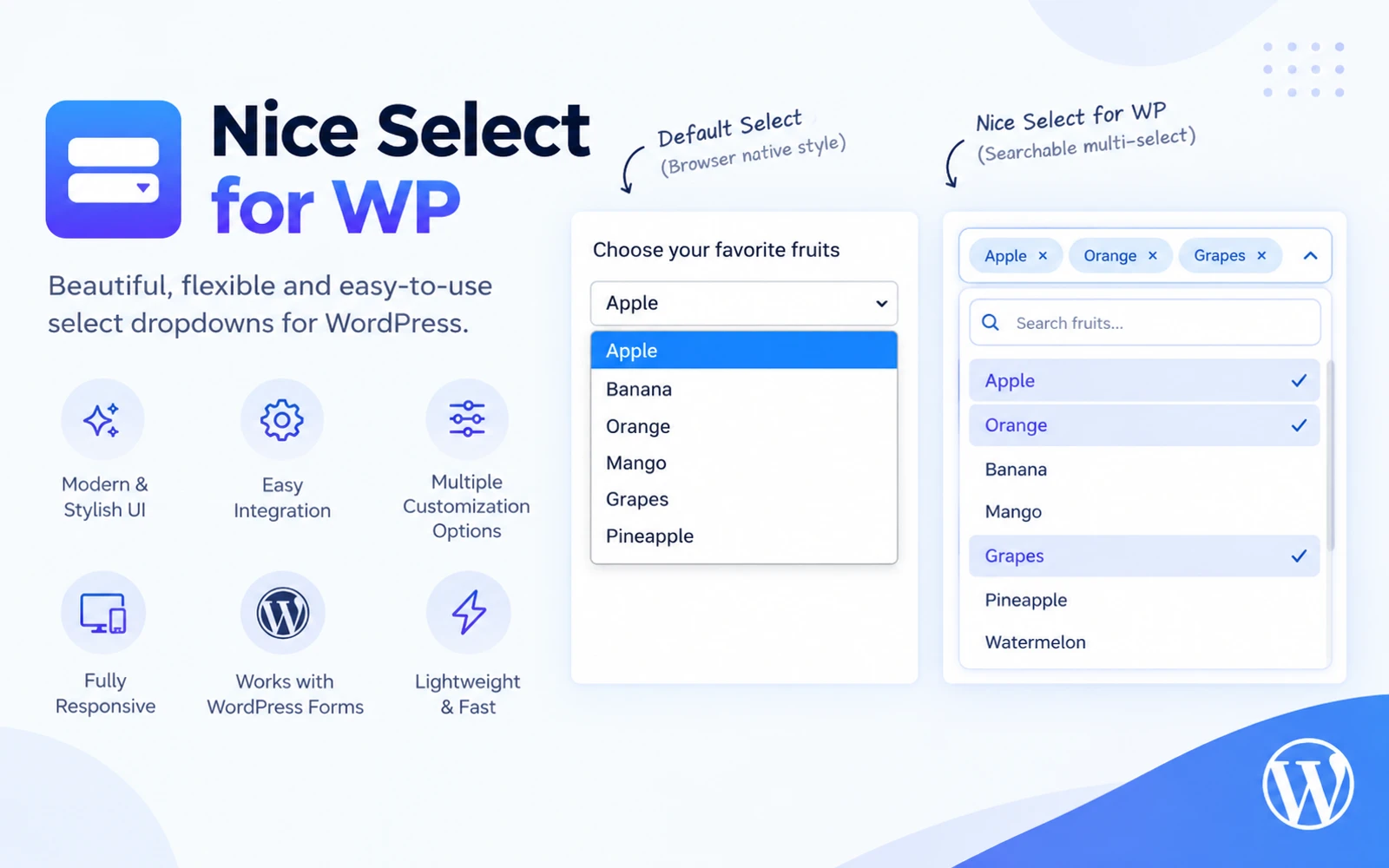
checkout fields, filters. Nice Select for WP is the plugin I built to fix that
without asking anyone to write CSS — activate it, and every <select> on the
site picks up a styled, searchable dropdown from a single settings page.
The problem
Multi-select was the part that actually needed solving. A <select multiple>
is worse than a single dropdown — no visible list of what's chosen, no way to
remove one item without hunting for it in a scroll box — and most "nicer
select" plugins simply don't touch it. Ignoring it would have left the plugin
solving the easy half of the problem.
The other constraint was WordPress itself: forms get added after the page
has already loaded — AJAX content, popups, a form plugin's own conditional
logic revealing a field — and a plugin that only enhances what's present at
DOMContentLoaded quietly fails on exactly the forms most likely to need it.
Approach
Settings, not markup. Every option — which selector to target, alignment, full width, placeholder text, search, custom CSS — lives on one admin page. Nothing about using the plugin requires editing a template or writing a shortcode.
Multi-select as a real control, not a styled list. <select multiple>
renders as a tag-based UI: selected options become removable tags, <optgroup>
headers are preserved, and Select All / Clear All, close-after-pick, and a
maximum-selection cap are each their own setting rather than always-on
behaviour.
Watch the DOM, not just the load event. Selects added or revealed after the page loads get enhanced automatically, which is what makes the plugin work inside Contact Form 7's conditional fields and Gravity Forms' AJAX steps instead of only on the fields present when the page first rendered.
Outcome
Eight releases since the 1.0.0 launch, each logged in the changelog rather than folded silently into the next version — including two releases that exist only to fix bugs real usage surfaced: a placeholder option that could fail a form plugin's server-side validation, and settings that weren't being cleaned up on uninstall. It's public on WordPress.org and GitHub, GPLv2 or later, with 20+ active installs and no code required on the side of anyone running it.