02The story
Context
Contact Form 7 is one of the most installed plugins in WordPress, and it is configured by typing bracket tags into a textarea. That is fine for a developer building one form. It is not fine for the person who owns the site afterwards, and that is the person who needs to change the form six months later.
I know the shape of this problem from the other end. Every handover I have done ended the same way: a document explaining how to edit the form, then an email three weeks later asking me to edit the form.
The problem
Rewriting the plugin was never an option. Contact Form 7 sits under an enormous number of live sites, including many I did not build, and any tool that asks an owner to migrate their forms has already failed — the forms are wired into mail templates, spam filtering, third-party integrations and, on some sites, years of habit.
So the constraint was set before the first line: a form that exists today must keep working exactly as it does, untouched, whether or not anyone ever opens the new interface.
Approach
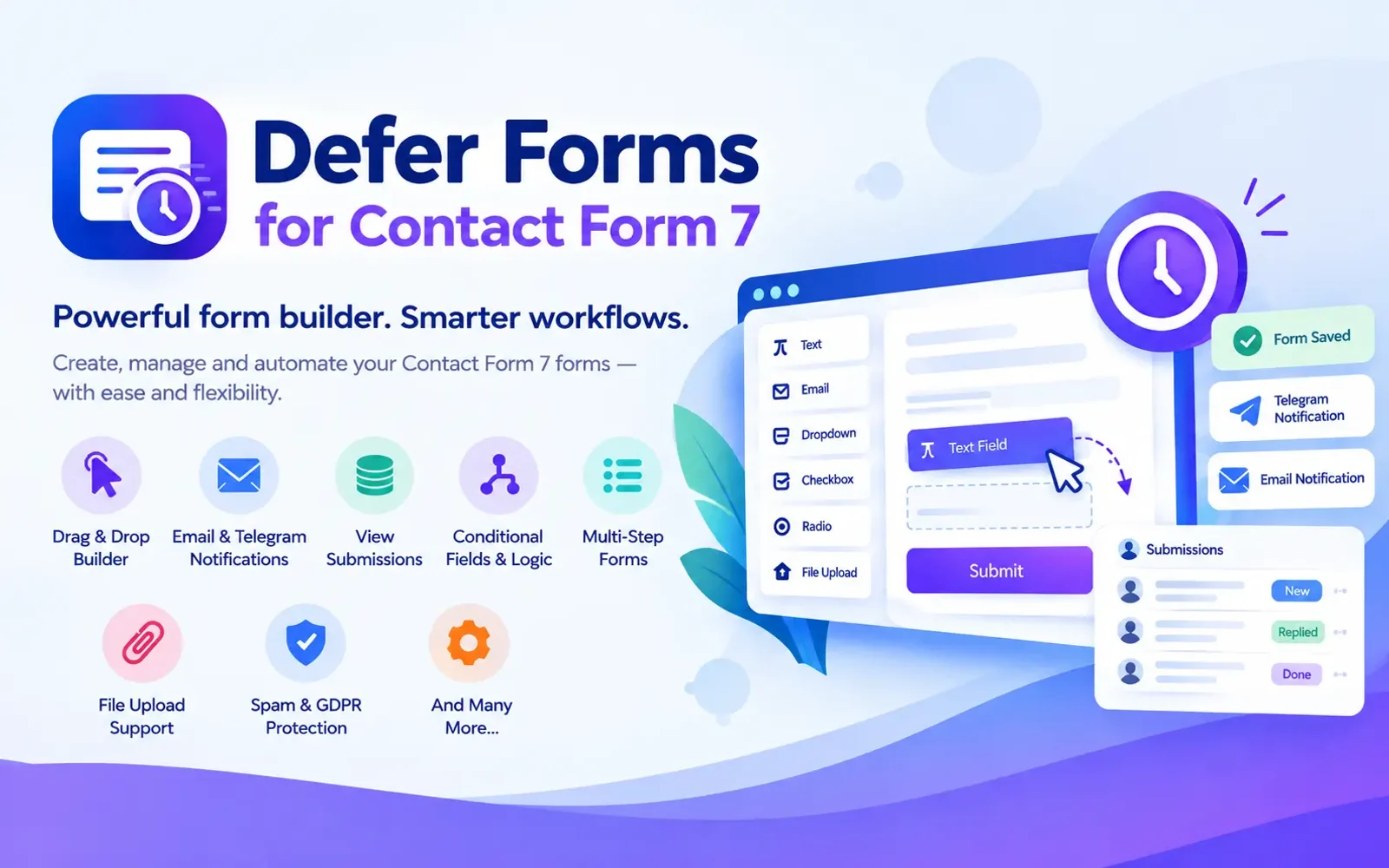
The plugin is a layer, not a replacement. Contact Form 7 remains the thing that renders, validates and mails the form. Defer Forms owns the editing experience and compiles what you build into the tag syntax CF7 already understands, so the generated output is something the plugin — and any developer reading it — treats as ordinary.
That decision paid for itself repeatedly. Anything CF7 can do, an escape hatch can still do; anything CF7 cannot do stays out of scope instead of turning into a fork I would have to maintain against every upstream release.
Technical decisions
A React canvas, mounted inside the WordPress admin. The builder is a real
application — drag and drop, selection, undo, a properties panel — and pretending
otherwise with jQuery would have cost more than it saved. dnd-kit handles the
dragging, because it is keyboard-operable and accessible by default rather than
by later effort.
The REST API as the seam. The builder talks to the plugin over REST routes and nothing else. The PHP side has no idea a React application exists, which is what makes the PHP side testable on its own.
Submissions as a database table, not post meta. Form entries are stored as records, with the field mapping kept alongside them, so a submission stays readable after the form it came from has been edited.
A hooks API before a settings page. Seven documented hooks sit on a submission — keep a form out of the table, change what is stored before it is written, act on an entry once it exists — and they are the plugin's public surface. They are documented in the readme the plugin ships with rather than in a markdown file beside it, because a reference belongs where somebody looking for it would actually go: the plugin's own page.
Implementation
Seventeen features ship in the free plugin. The ones that changed the shape of the codebase most:
- lines of PHP
- ~12,400
- JS and JSX source files
- 22
- test suites, all passing
- 112
- A submissions database with export, so a client can read what people sent without opening their inbox.
- Multi-step forms, which required the compiler to think about state that Contact Form 7 has no concept of.
- Conditional logic, edited as rules and compiled to markup and behaviour.
- Revisions, because a form is content and content gets broken by whoever edited it last.
- GDPR export and erase, wired into WordPress's own personal-data tools rather than a private screen of my own.
- Notifications to Telegram, Slack and Discord for the clients who do not read email.
Challenges
The hardest part was not the builder. It was compilation fidelity: taking a visual structure and producing tag syntax that CF7 parses into precisely the form the user drew, including the cases where the visual model is richer than the syntax. Where the two could not be reconciled, the builder refuses to produce something it cannot round-trip rather than quietly producing something close.
The second was scope. A form builder attracts feature requests indefinitely, and the answer to most of them is the hooks API rather than another checkbox in a settings page.
Outcome
The plugin is in the WordPress plugin directory at v2.7.1, requiring WordPress 6.5 and PHP 8.0, with a documented hooks API, a guarded release script, and a maintainer document written in Bengali so the person maintaining it in my own language can do so without translating my code comments first.
It is published from the account of Defer Studio, the agency I am setting up, which is why WordPress.org lists that account as the plugin's owner and me as a contributor. The code, the builder and the release are all mine.
The directory review is where the current name came from: the previous one led with a generic word and sat too close to an existing plugin's. Renaming a plugin is mostly unglamorous work — an internal prefix, a database table, a REST namespace, every admin address — and it is worth recording that the awkward part of shipping is rarely the part that was interesting to build.
It went public in September 2026, so the install count is still in single figures and I am not going to pretend otherwise. What is genuinely finished is the thing that mattered at the start: existing forms do not have to change.
What I would take to the next one
The escape hatch is why this works. Every tool that sits on top of an established plugin is really a bet that you can improve the interface without inheriting the maintenance of everything underneath it — and the bet only pays if the user can always drop back down to the layer below.